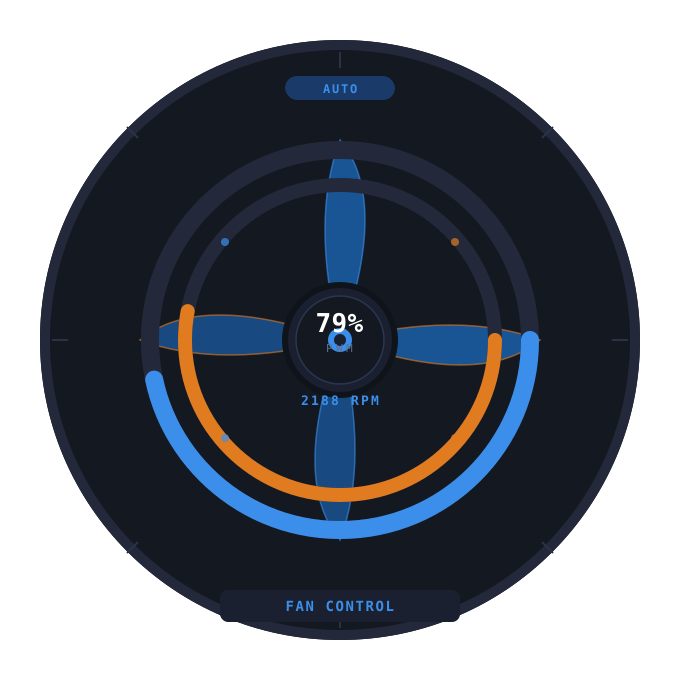
Get up and running in five minutes.
From install to first spin-test. Bring your own fans.
Install
The simplest way is the prebuilt binary attached to the latest release on Gitea — no Python, no virtualenv, no pip.
wget https://git.energy-bg.org/attachments/0f874499-b14d-4eed-b4e3-9d3be9217df0 -O FanControl
chmod +x FanControl
./FanControl
Prefer to run from source? See Build from source below.
udev rule (run without root)
The Linux kernel's hwmon subsystem assigns sensor indices dynamically — hwmon0, hwmon1 and friends can shuffle on every boot. The bundled 99-hwmon-stable.rules udev rule pins your sensor chip to a stable path at /run/hwmon_main and grants read/write to the adm group.
1. Install lm-sensors
# Ubuntu / Debian
sudo apt update
sudo apt install lm-sensors

# Fedora
sudo dnf install lm_sensors
2. Detect your sensors
sudo sensors-detect    # accept the defaults
sensors                # confirm readings appear
3. Identify your sensor chip
cat /sys/class/hwmon/hwmon*/name
Note the name (nct6799, nct6775, it8792, k10temp, …). If yours isn't nct6799, edit 99-hwmon-stable.rules and update the ATTR{name}=="nct6799" line accordingly.
4. Install the rule and join the adm group
sudo cp 99-hwmon-stable.rules /etc/udev/rules.d/
sudo usermod -aG adm $USER
sudo udevadm control --reload-rules
sudo udevadm trigger
5. Verify
ls -la /run/hwmon_main
You should see a symlink pointing into /sys/class/hwmon/....
First run
Launch the binary. If no fans.ini exists at the configured path, the app will offer to open the Fan Discovery wizard or pick a file. Pick the wizard the first time — it spin-tests channels, lets you name them, and writes the config for you.
pkexec).
fans.ini reference
Per-fan configuration lives in a simple INI file. Default location is whatever path you saved from the wizard — the active path is remembered in ~/.config/Fan Control/Fan Control.conf.
[FAN1]
name = Case
pwm_path = /run/hwmon_main/pwm3
pwm_enable_path = /run/hwmon_main/pwm3_enable
rpm_path = /run/hwmon_main/fan3_input
; optional default temperature source for curve mode
temp_source = hwmon:nct6799:temp7
Per-fan curves persist separately at ~/.local/share/fan-control/curves.json.
Modes
Each fan has one of three modes, indicated by a colored badge on its card:
- BIOS — kernel auto. The motherboard's own logic drives the PWM.
- Manual — fixed PWM, set by you (gauge or preset).
- Auto — temperature-curve driven by the app.
Activating Auto requires a temperature source. If none is set, the curve editor opens so you can pick one.
Build from source
git clone https://git.energy-bg.org/public/fan-control-desktop.git
cd fan-control-desktop
python3 -m venv .venv
source .venv/bin/activate
pip install PySide6
python fan_control_app.py
Bundle a standalone binary
source .venv/bin/activate
pip install pyinstaller
pyinstaller --noconfirm FanControl.spec
# output: dist/FanControl
Troubleshooting
Permission denied when writing PWM
The udev rule probably isn't loaded, or you haven't been added to adm yet (and re-logged in). Re-run the steps in udev rule.
Fans report ±3 PWM drift
Some chips report a slightly different PWM than what was written. The preset highlight tolerates the drift, so a button still lights up at the matching preset.
Writing PWM=255 puts the chip in "0" mode
Some Nuvoton chips (e.g. NCT6799) silently flip pwm_enable to 0 ("full-speed override") when you write 255. The app treats 0 and 1 as equivalent for our purposes — you can still write PWM normally.