Take control of every fan on your Linux box.
A native PySide6 desktop app that talks to the kernel's hwmon
interface directly — no daemons, no GUIs running as root, no surprises.
Built for the way Linux already works
Reads and writes the same /sys/class/hwmon files your kernel exposes — nothing in the middle.
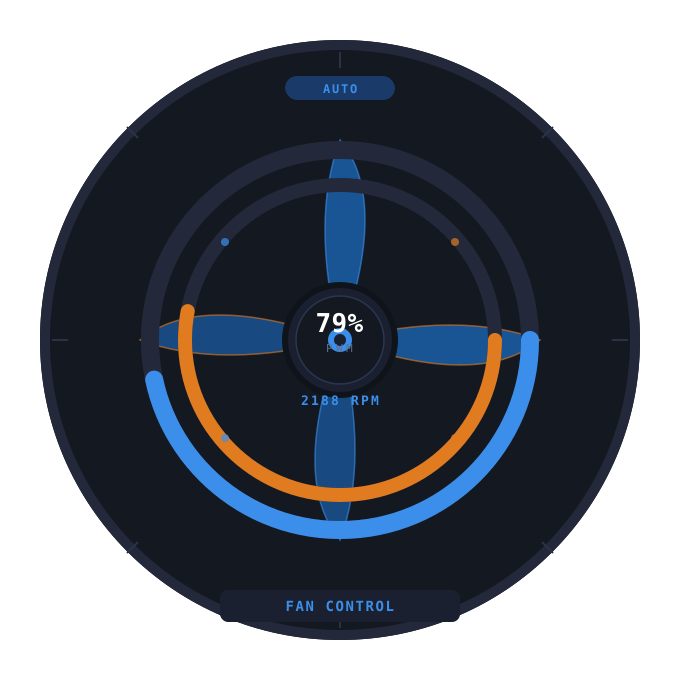
Click-and-drag PWM gauge
A circular gauge per fan, draggable from 0–255. Refresh never overwrites your drag mid-motion.
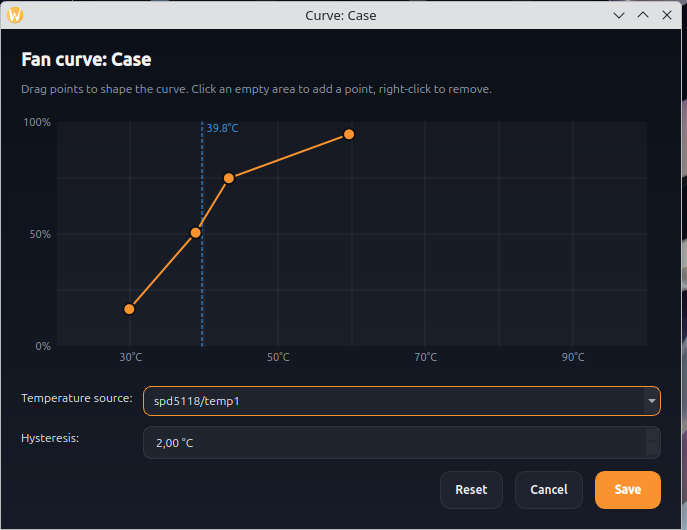
Temperature curves
Graphical point editor with hysteresis built in, so PWM doesn't thrash around the trigger temperature.
Guided fan setup
Speeds up one fan at a time and asks which one you can hear — no need to know which header is which. Empty headers are skipped automatically.
Remembers your setup
Each fan's mode and speed come back after a reboot, alongside live RPM sparklines showing the last ~90 seconds.
Monitor-only fans
A header your BIOS drives in DC mode — a water pump, typically — is shown read-only, so its speed is visible but never written.
One-click permissions
Detects your sensor chip, installs the matching udev rule and grants your account access from a single password prompt. No daemons running as root.
See it in action
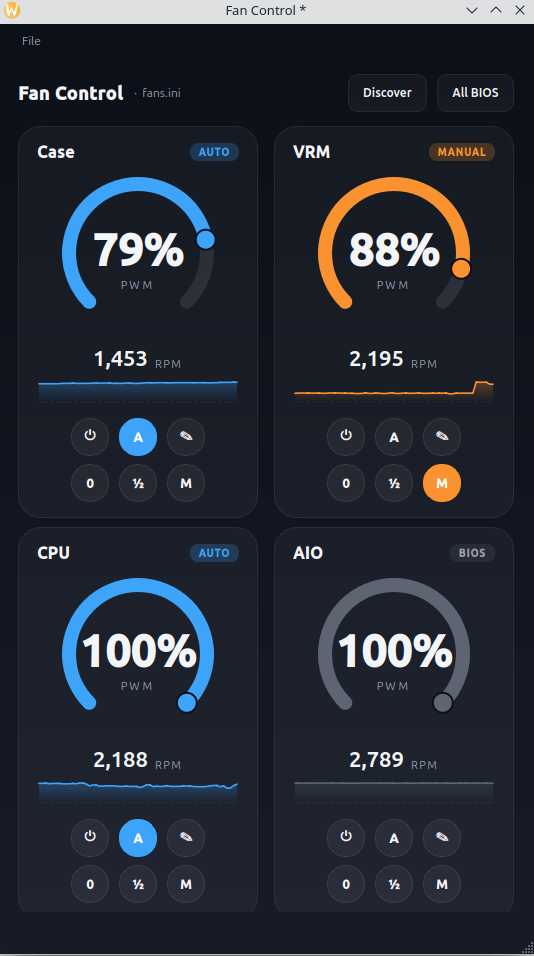
One fan per row, dark and dense. Designed to feel like part of your desktop.
Three modes per fan
Every card carries a badge so you always know what's driving the PWM right now.
| User action | From BIOS | From Manual | From Auto |
|---|---|---|---|
| Click power (⏻) | Manual | BIOS | BIOS |
| Click auto (A) | Auto | Auto | Manual |
| Click a preset (0 / ½ / M) | Manual | Manual | Manual |
| Drag the gauge | Manual | Manual | Manual |
| Open curve editor (✎) | Mode unchanged — opens the editor for the selected fan. | ||